 CONTINUUM
GUIDED MODE
A clear day-to-day flow.
Guided Mode keeps the next step clear, from choosing an outcome to a daily check-in and a review of your progress.
SIGNALARC · PRIVATE BETA
Organize your wellness routine, record what you notice and review the patterns that develop across products and daily life.
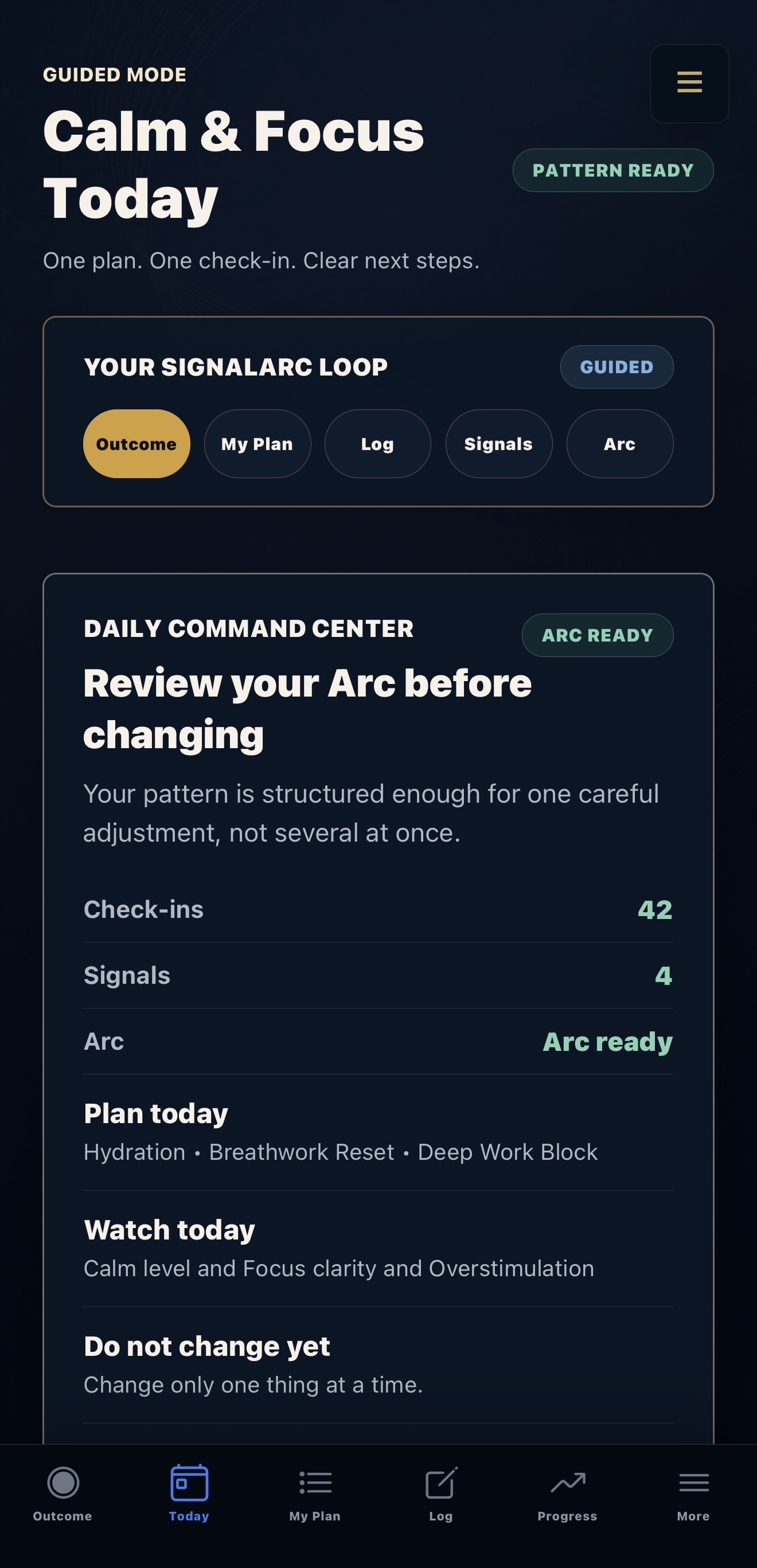
AN ORDINARY DAY
Choose a goal and keep the routine you intend to follow. In this Calm & Focus example, hydration, a breathwork reset and protected work time provide the reference for later check-ins.
Illustrative use case; it does not predict a result.
ORGANIZE · OBSERVE · LEARN
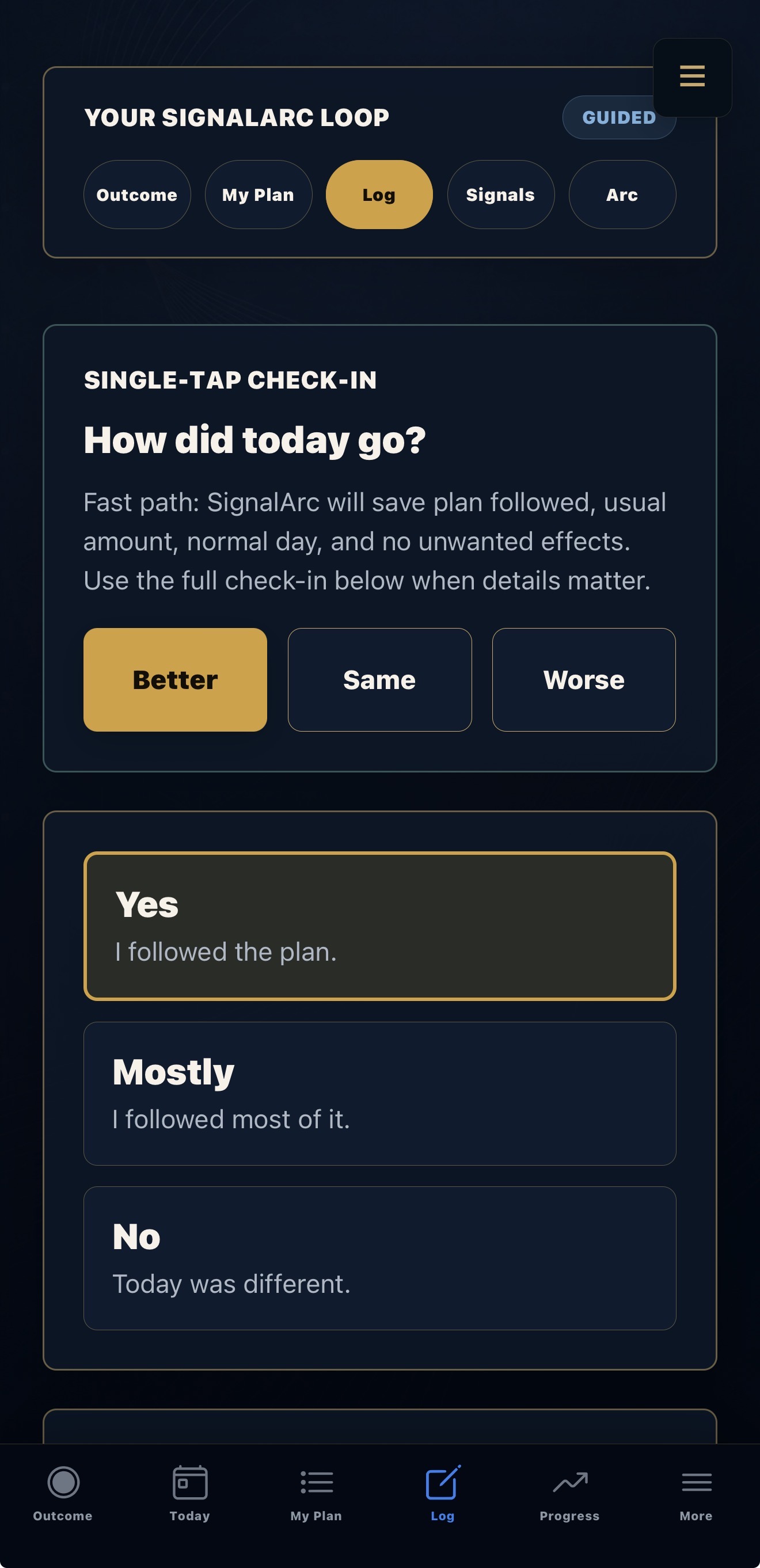
Record how the day went while it is still fresh.
Choose Better, Same or Worse to record your observation. The quick check-in uses the assumptions shown; use the fuller entry when your day needs more detail.
RETURN TO YOUR OBSERVATIONS
Signal: a recurring observation in its context. Arc: the longer view, with guidance on what to keep stable and what to observe next.
CALM & FOCUS · DEMONSTRATION
This example follows hydration, a breathwork reset and a protected block of work.
The Current Signal links stronger focus observations with hydration during protected work time.
The Arc guidance suggests comparing the hydration routine with and without protected focus. The next step is another observation, not a conclusion about cause.
Current Signal. The recurring observation and what to examine next.
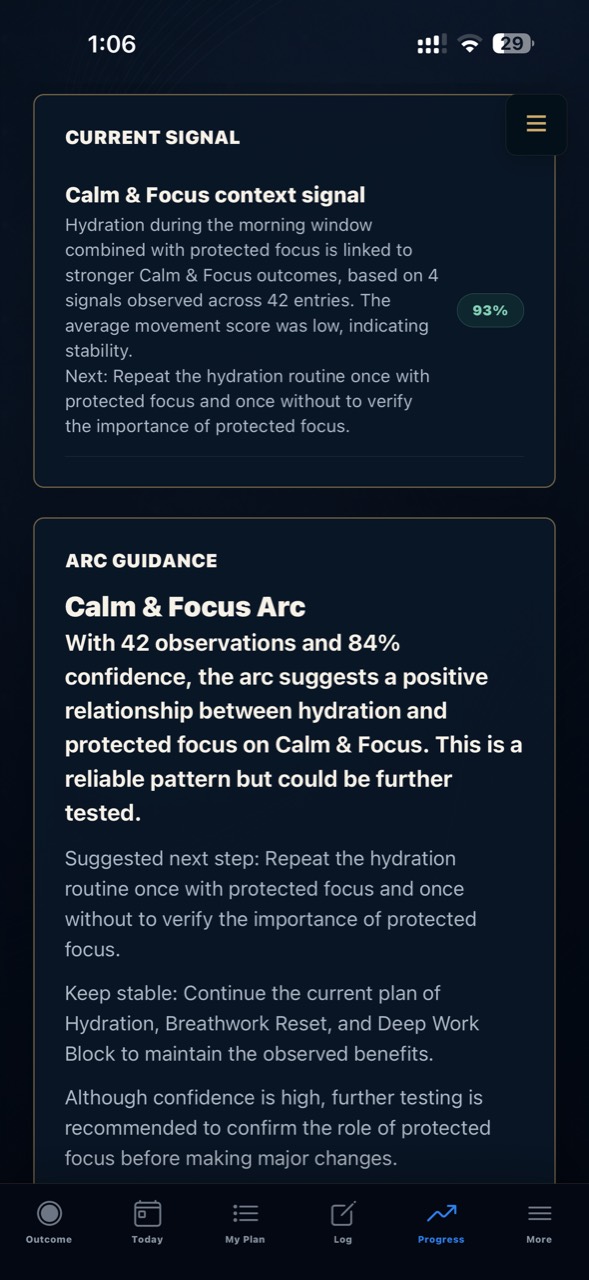
Read the observation alongside its guidance. These examples show how the app presents a pattern, a possible next step and the need for further observation.
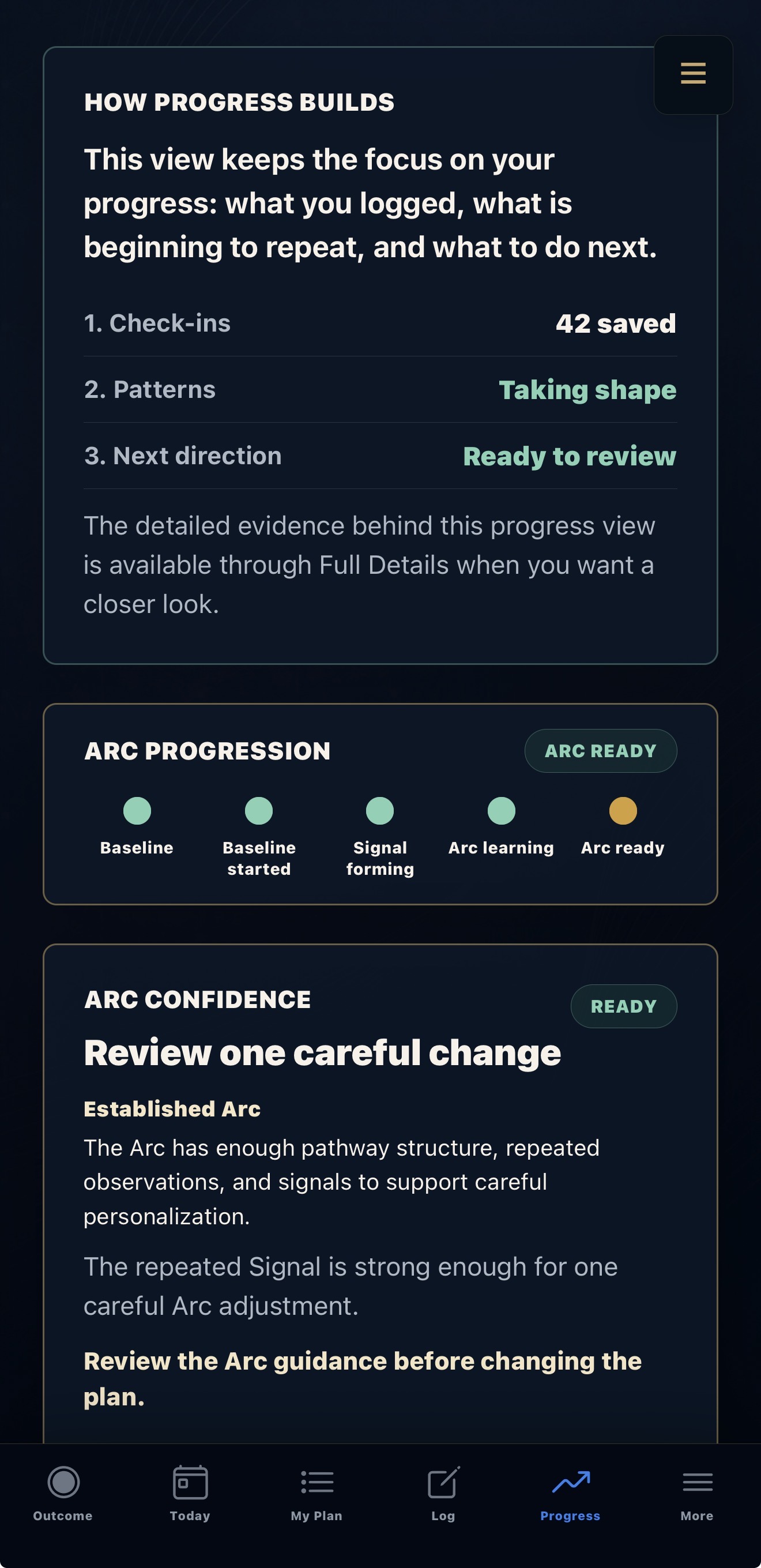
THE LONGER VIEW
The Arc brings the longer view into focus: what to keep stable, what to explore next and what remains to be tested.
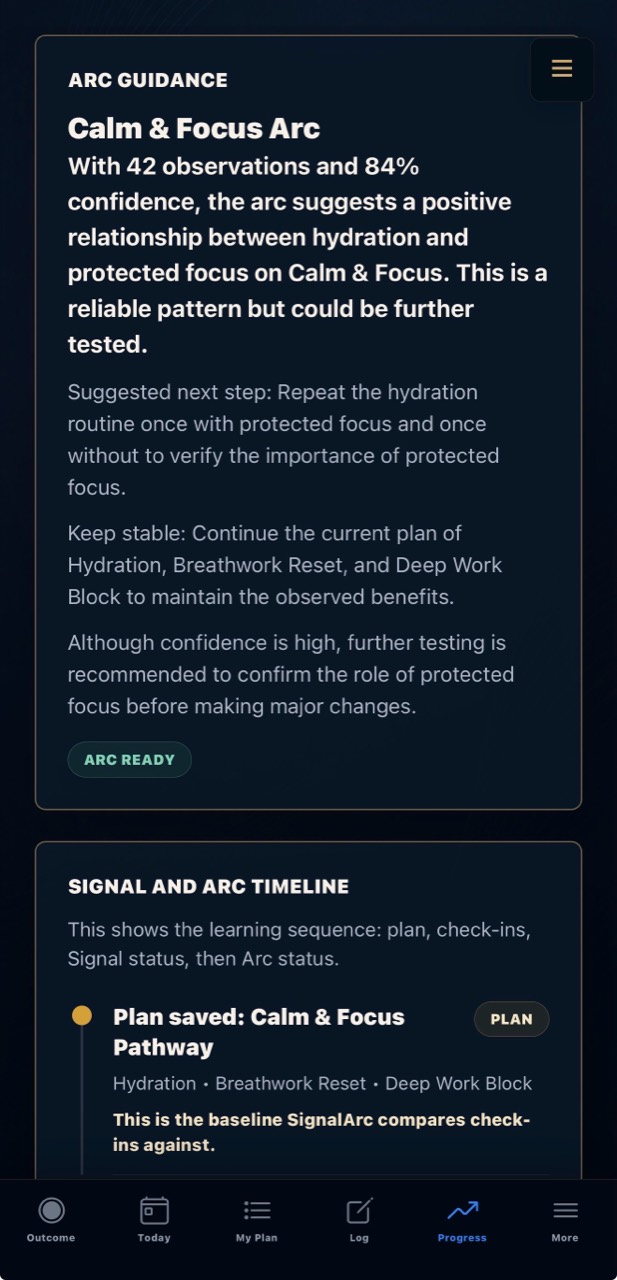
Demonstration data across these SignalArc screens. The displayed scores describe this sample record; they are not diagnostic accuracy, typical results or proof of a product effect.
GUIDED & DETAILED MODES
GUIDED MODE
Guided Mode keeps the next step clear, from choosing an outcome to a daily check-in and a review of your progress.
DETAILED MODE
Detailed Mode gives more room to explore your pathway, interventions, observations, Signals and Arc.
Guided and Detailed modes work with the same underlying learning record. Choose the view that fits how you want to use SignalArc.
PART OF CONTINUUM

CANNABIS PRODUCT LEARNING
Keep product and batch details with each session, including context and unwanted effects.
Explore Cultivar Signals
DIGESTIVE EXPERIENCE
Keep meals, symptoms and symptom-free periods together so you can review them over time.
Explore Digestion SignalsOPTIONAL COMPANION
Use selected check-ins on a supported Apple Watch. Connections depend on your permissions and device compatibility.
Explore the companionPRIVATE BETA
Tell us your device and app interest. We’ll confirm compatibility and send setup details if you’re invited.