 CONTINUUM
CULTIVAR SIGNALS · PRIVATE BETA
Keep the details behind each experience.
Keep product and batch information, how it was used and what else was happening alongside your own observations—including unwanted effects.
App opening screen.
PERSONAL OBSERVATION
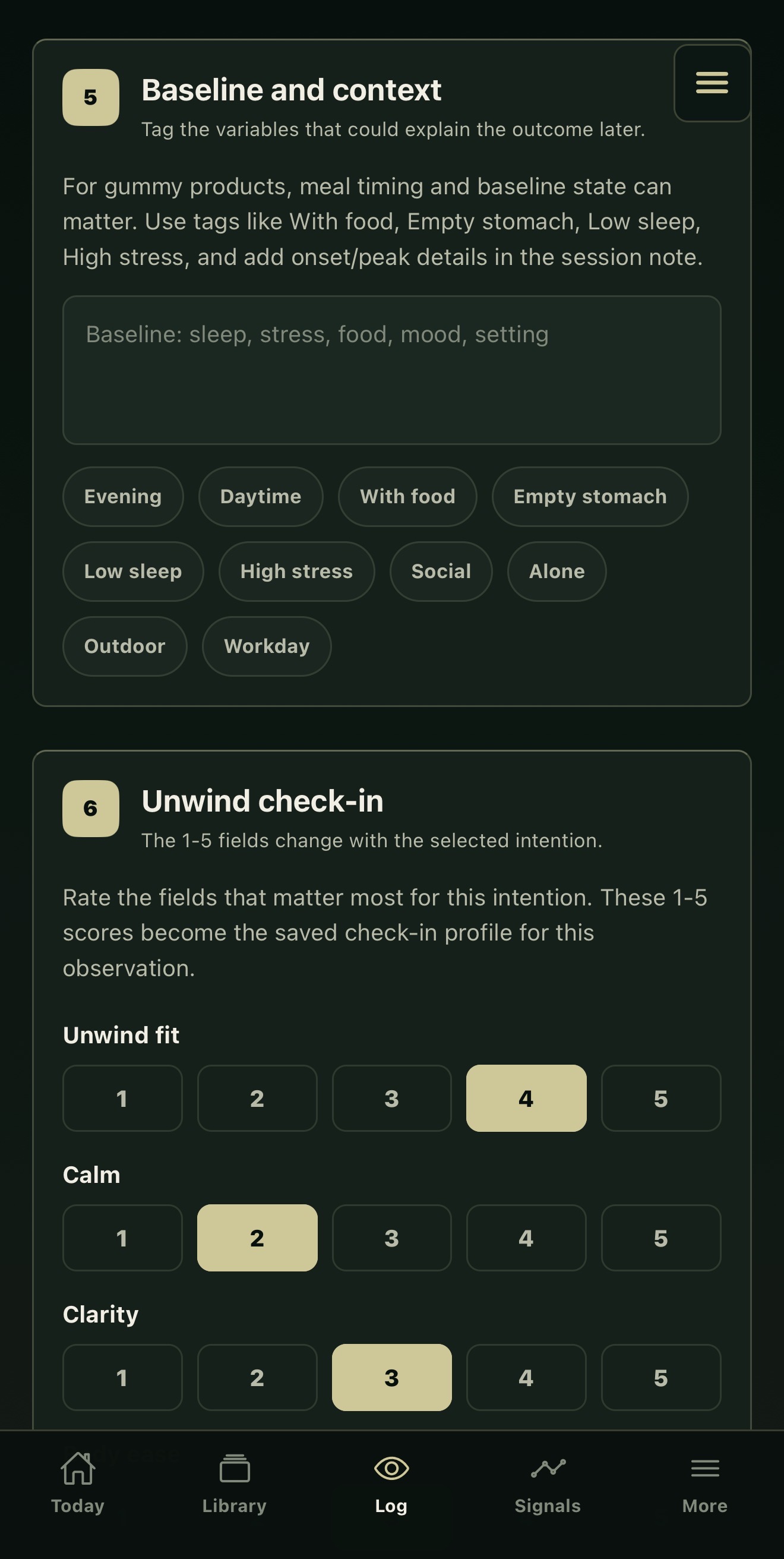
A session is more than a product name.
Keep the product and batch with the route, recorded amount and circumstances around use. Later, you can revisit what you noticed with those details in view.
For example, a session entry can retain how you slept the night before. This demonstration shows the context controls, not a completed result.
WHEN YOU RETURN
See what changed between sessions.
A different experience can have more than one explanation. The “What Changed?” view keeps those differences together.
Compare the recorded use
This demonstration retains a different recorded amount beside the earlier reference.
Keep the surrounding day
High stress appears in the recent observation; the earlier reference included food.
Include the unwanted experience
Next-day drag is visible alongside those changes. Review the differences together before attributing the experience to any one of them.
Demonstration comparison, separate from the entry example above. Recorded amounts are not dosing advice; the comparison does not establish cause.
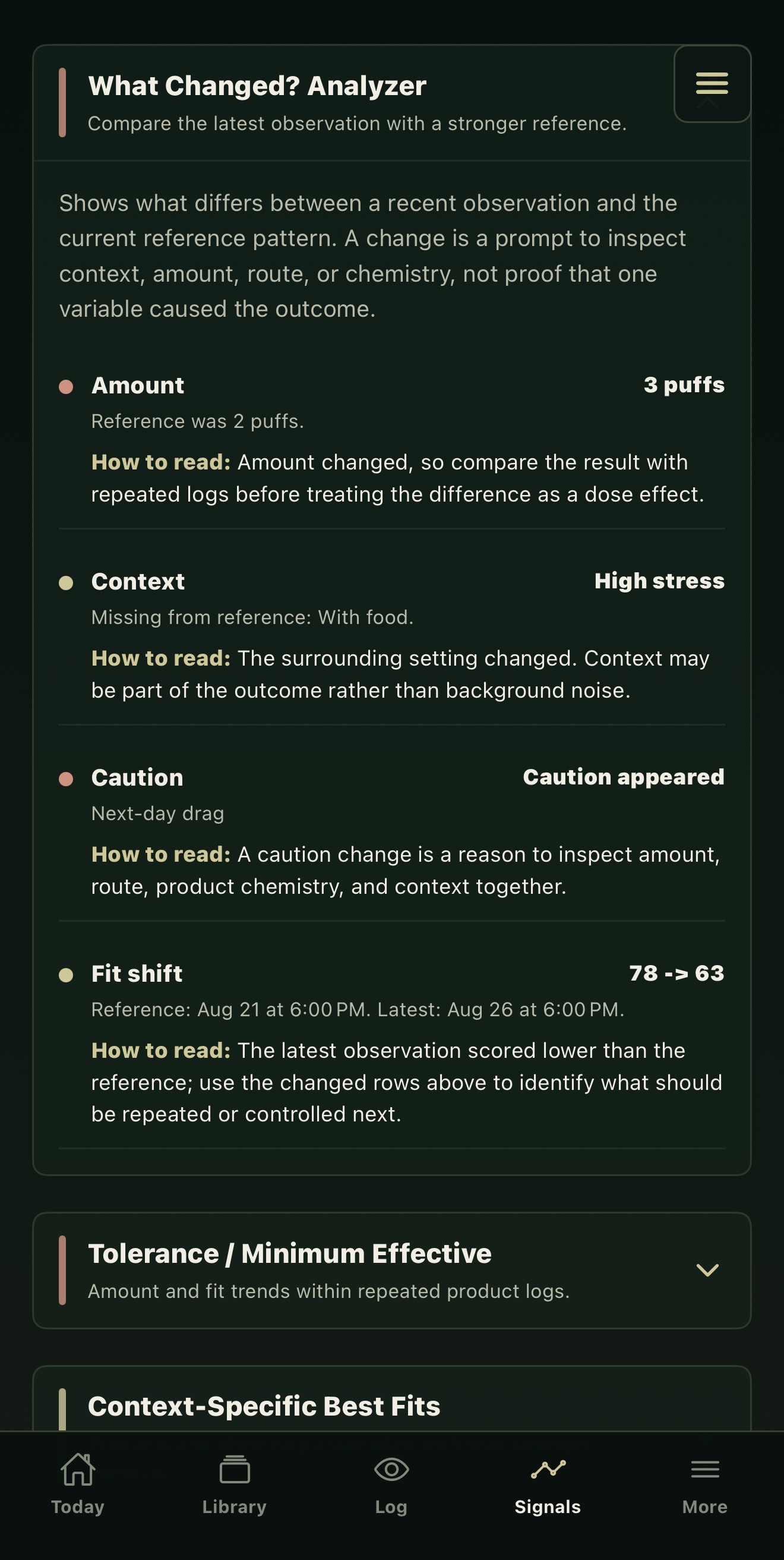
Select to read the full comparison.
OPTIONAL CONNECTIONS
Choose what connects to SignalArc.
Cultivar Signals works independently. Its connection controls let you choose which supported information to share with SignalArc.
 Cultivar Signals
what connects
 SignalArc
App connections and participation in a partner program have separate permissions.
FOR ORGANIZATIONS
Bring a product or program question.
Organizations can maintain product records through Continuum Partner or discuss a participant program with its own agreed scope and permissions. Cannabis retail workflows are in development for licensed partners.
Explore catalogs, programs and retail →PRIVATE BETA
Explore Cultivar Signals.
Tell us your device and app interest. We’ll confirm compatibility and send setup details if you’re invited.
For adults in legal-use settings. Beta invitations confirm device compatibility and access.