CONTINUUM PARTNER

The transaction is only the beginning.

Help people understand your products—and explore what happens when they use them. Start with clearer product records, or bring a focused question for a participant program.

Already onboarded? Partner sign in →

ONE PARTNER WORKSPACE

Product identity

Partner Core · free entry point

Structured learning

Cohorts & Insights · scoped programs

Retail workflows

Two in-store modules · in development

On this page

TWO WAYS TO START

Bring a product catalog or a question about use.

PARTNER CORE · FREE FOR APPROVED ORGANIZATIONS

Organize your product records.

For
Brands and catalog teams that need a consistent product reference.
You bring
Product and batch details, current labels and available source documents.
Continuum helps with
Onboarding, record structure, matching, review and publication rules.
You leave with
A maintained catalog, visible source status and approved publication routes for your team.
Discuss catalog onboarding →

COHORTS & INSIGHTS · SCOPED SERVICES

Understand use beyond the sale.

For
Product teams with a specific question and a way to invite participants.
You bring
The product reference, intended participants and the decision the review should inform.
Continuum helps with
A bounded program brief, participant activity, consent, setup and permitted group reporting.
You leave with
An agreed program and a review of participation, recorded experience and evidence gaps within its reporting rules.
Scope a participant program →

Start with a scoping conversation. Program feasibility, responsibilities, deliverables and service terms are agreed before enrollment. Retail workflows and research services have separate development and readiness requirements.

PRODUCT PASSPORTS

A shared record of what the product actually is.

A Product Passport is a structured digital product record. It keeps the product name and maker together with available formulation, ingredients or chemistry, form, serving or use units, batch details and source documents.

That detail matters: two products with similar names may have different formulations, and two batches may have different measured chemistry. A Passport helps keep later observations attached to the right product.

Explore the Passport record

PRODUCT PASSPORT

A structured product record

Identity
Which product is it?Brand, product, formulation and batch.
Contents & units
What does the record describe?Available ingredients or chemistry, form and declared units.
Source & status
Where did the information come from?Label or lab-report references, provenance and review status.
Record structure illustrated. Available fields and source status vary.

A shared record, with clear responsibilities.

Your organization maintains its catalog and source documents; Continuum manages access, review and publication. SignalArc and Cultivar Signals use product identity alongside personal observations. In a scoped digestive cohort, it can identify the product being studied. Publishing a Passport does not share a person’s app history.

COHORTS & INSIGHTS

Start with a question participants can actually answer.

ILLUSTRATIVE PROGRAM BRIEF · NO RESULTS SHOWN

  1. 01

    The question

    For one product, when do participants use it, which circumstances do they record and how consistently do they follow up?

  2. 02

    The participant activity

    Keep the product reference, record when it was used and complete a short check-in about the experience and relevant daily circumstances.

  3. 03

    The consent and scope

    Define the invitation, information collected, access and participant choices before enrollment.

  4. 04

    The review

    Review participation and recorded experience in group summaries allowed by the program’s permissions and reporting thresholds. Use them to identify what deserves closer attention; they do not establish cause.

ILLUSTRATIVE REVIEW OUTLINE · NO PARTNER RESULTS

What a scoped review can cover

Participation
Enrollment and check-in activity, including missing follow-ups.
Recorded context
Timing and circumstances represented in the permitted group view.
Experience & variation
Reported observations, wanted and unwanted, with differences and gaps kept visible.
Limits & next questions
Reporting thresholds, suppressed small groups and what the record cannot establish.

An outline for agreeing the work, not a screenshot or a promise that every report contains every field. Actual outputs depend on consent, recorded data and required participation thresholds.

DIGESTIVE PROGRAMS AND RESEARCH

Bring the question that matters to your organization.

Keep the digestive context together.

Digestion Signals brings meals, symptoms, bowel observations and times of feeling well into view. GI/bowel Cohorts & Insights templates provide a starting point for a focused digestive observation program.

Discuss a digestive observation program →

Define the research question.

Research and analysis services are in development. Describe the question and information it requires, then establish the permissions, review and readiness appropriate to the work.

Discuss a research question →

IN-STORE EXPLORATION

Bring product information into the conversation.

Two in-store experiences for different retail settings. Start with product information, then bring questions to staff.

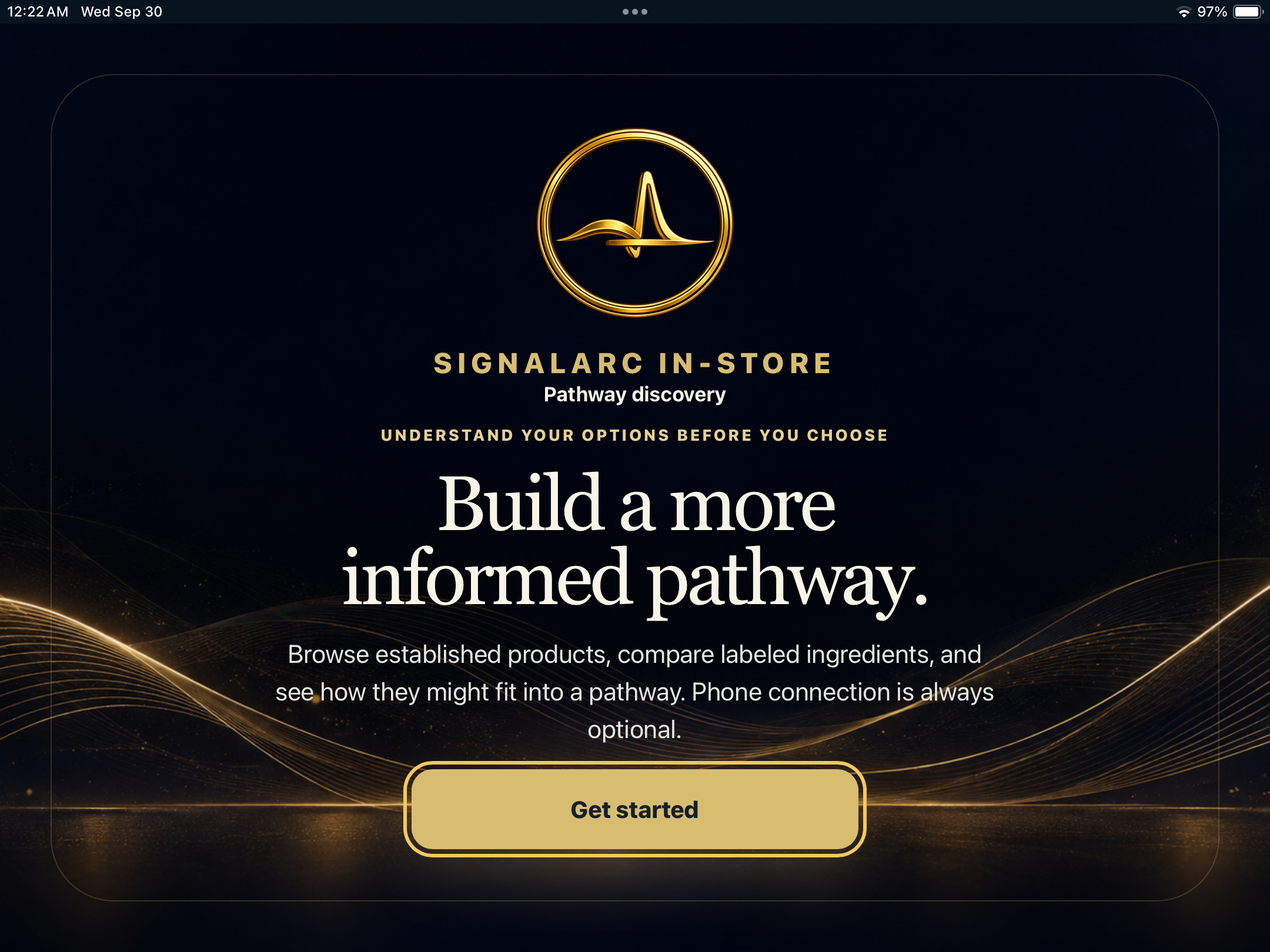
SignalArc In-store opening screen: Build a more informed pathway.
SignalArc In-store opening screen · Select to enlarge.

SignalArc In-store

Product exploration for wellness retail, with labeled ingredients, product formats and supporting information.

Discuss a wellness retail pilot →
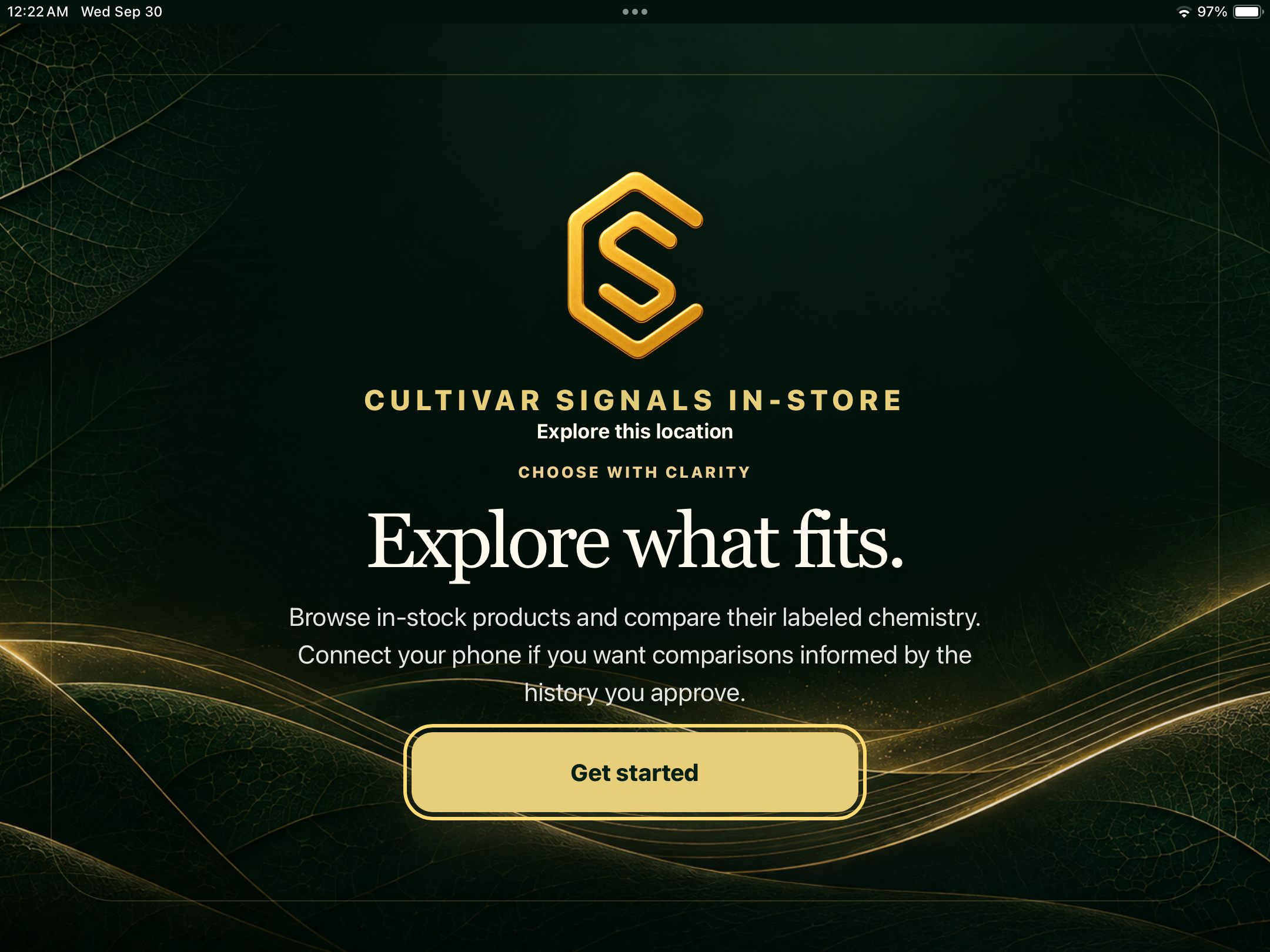
Cultivar Signals In-store opening screen: Explore what fits.
Cultivar Signals In-store opening screen · Select to enlarge.

Cultivar Signals In-store

Cannabis catalog exploration, published chemistry comparisons and a clearer starting point for conversations with staff.

Discuss a cannabis retail pilot →

Demonstration screens · In development. Availability and pilot scope are agreed with each partner. Cannabis transactions remain with the authorized point of sale.

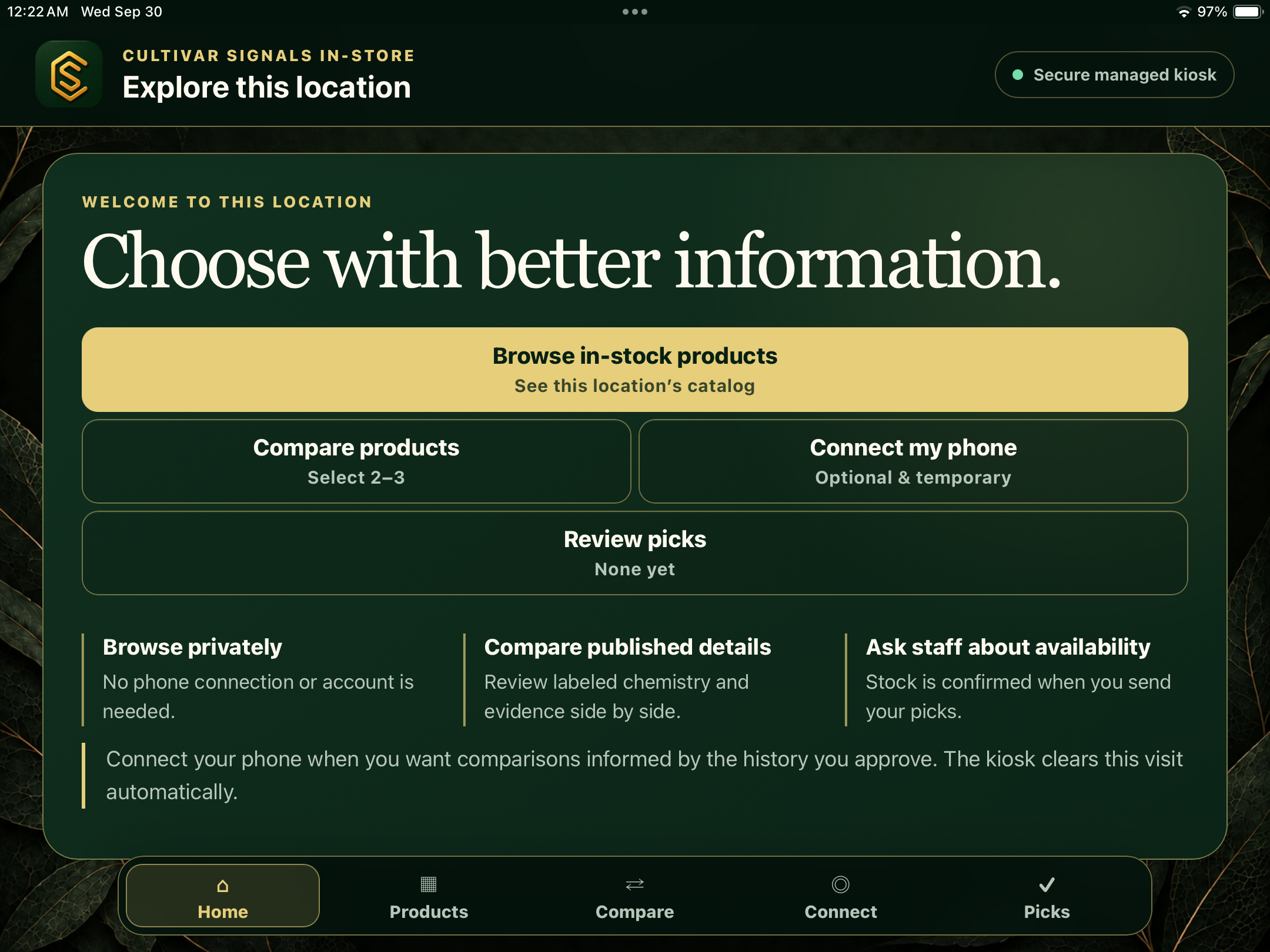
See how Cultivar Signals In-store begins
Cultivar Signals home screen with Browse in-stock products, Compare products, Connect my phone, and Review picks.
Cultivar Signals In-store home screen · Select to enlarge.

Browse independently, compare published product details, and choose whether to connect your phone.

  1. Browse the catalogExplore the products at this location.
  2. Compare the detailsReview labeled chemistry and source information.
  3. Talk with staffBring your selections into the conversation.

Product Passports provide the shared record behind the catalog. A phone connection is optional and requires the shopper’s approval.

Explore Product Passports →

ACCESS AND AVAILABILITY

A workspace built around your program.

Sign in to the product records and programs available to your organization. Creating an account does not grant organization access; onboarding confirms the tools and service arrangements available to your team.

Reports use authorized aggregate views. Partners do not receive unrestricted access to individual profiles, private notes, photos or raw wearable records.

Open the partner portal
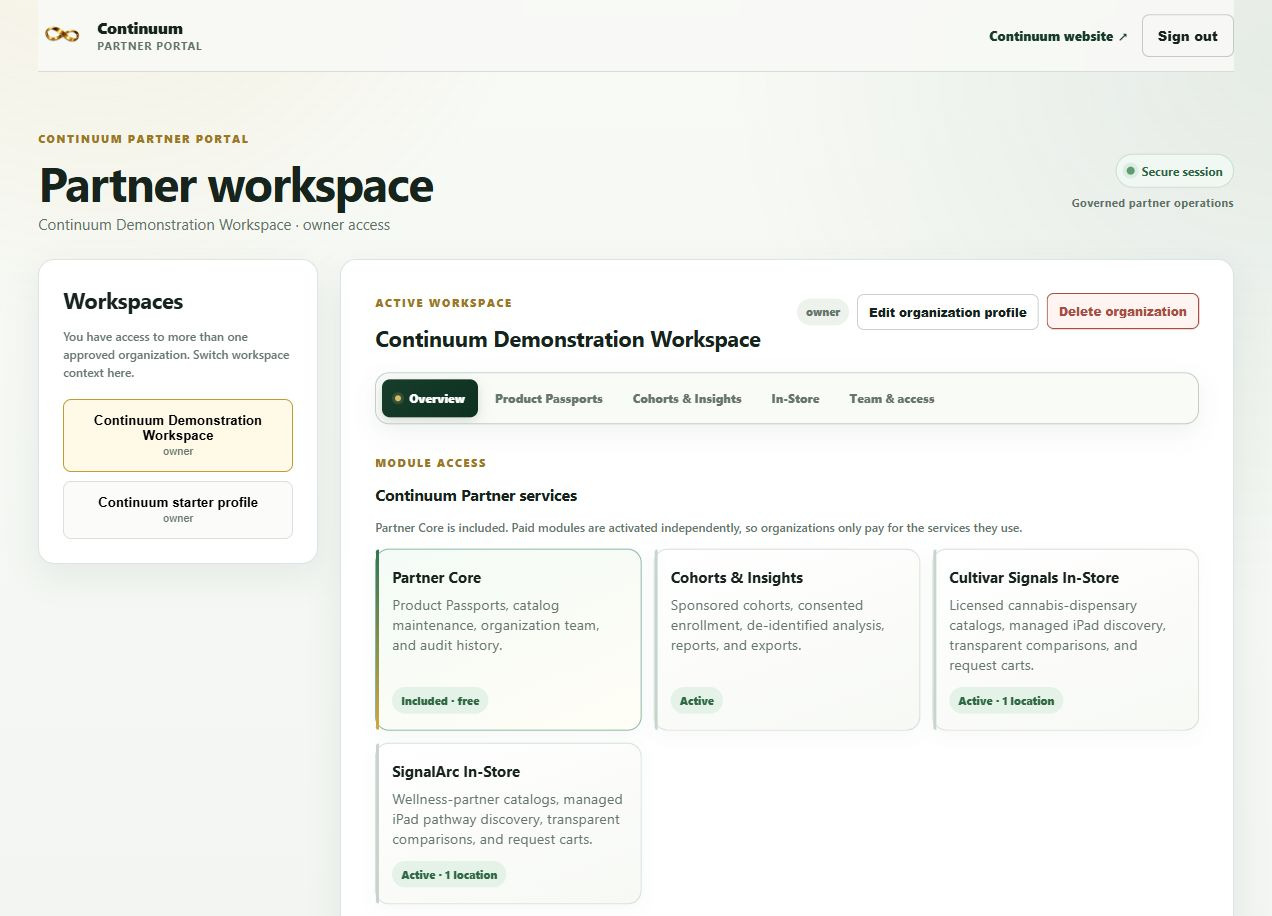
Demonstration partner portal showing its header, workspace selector, navigation, and complete Partner Core, Cohorts and Insights, Cultivar Signals In-Store, and SignalArc In-Store cards.
Demonstration partner workspace. Shown module statuses are for this demo; availability depends on organization access and program scope.Select the image for a larger view.

YOUR NEXT STEP

Let’s define a useful starting point.

Bring a catalog, a participant question or a retail need. We can work through the appropriate first step together.